
Google AI Overviews has this feature where you can select the text in the AI Overview and an overlay with explain this, related images and copy text (sometimes other features) overlay as buttons for you to do more with. Google even tested keyboard shortcuts for it. But now Google is testing this in a bottom tray design.
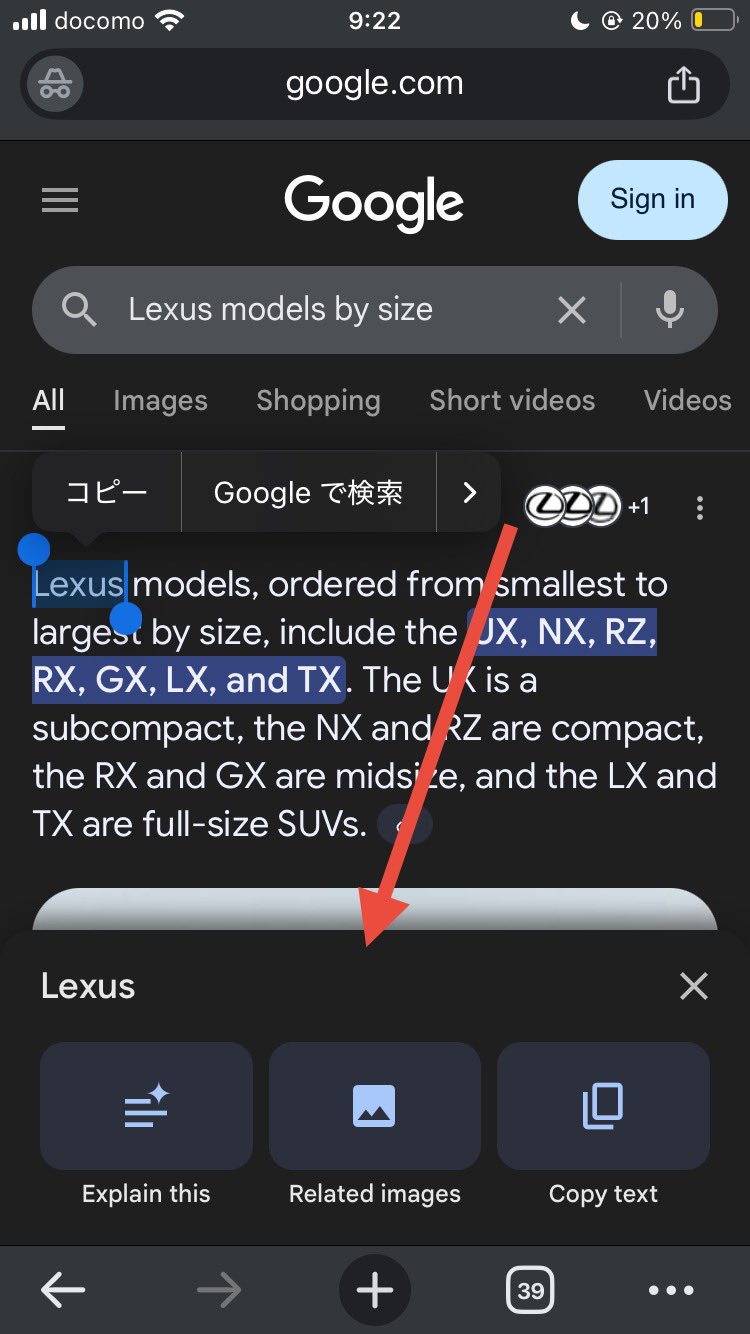
The bottom tray interface, when loaded, will let you choose from those:
- Explain this
- Related images
- Copy text
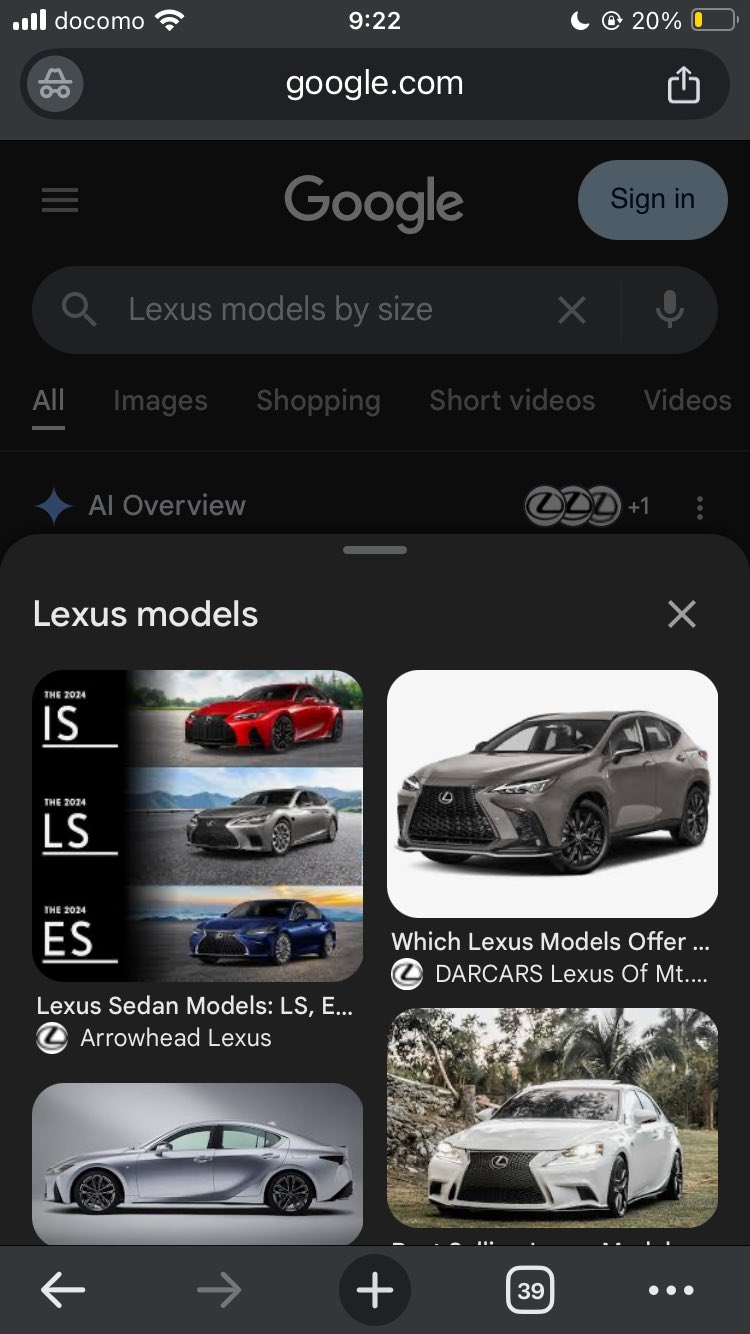
While these features are not new, the interface is and it might be a bigger deal. Because when you click on explain this or related images, the results load in the tray at the bottom and do not take you to a new page.
This was spotted by Matsushita Sotaro who posted some screenshots on X:
Here is what the tray looks like when you select text:
Then if you click on related images, it loads the results in the tray and does not take you to a new screen:
This is how it works when you click explain this:
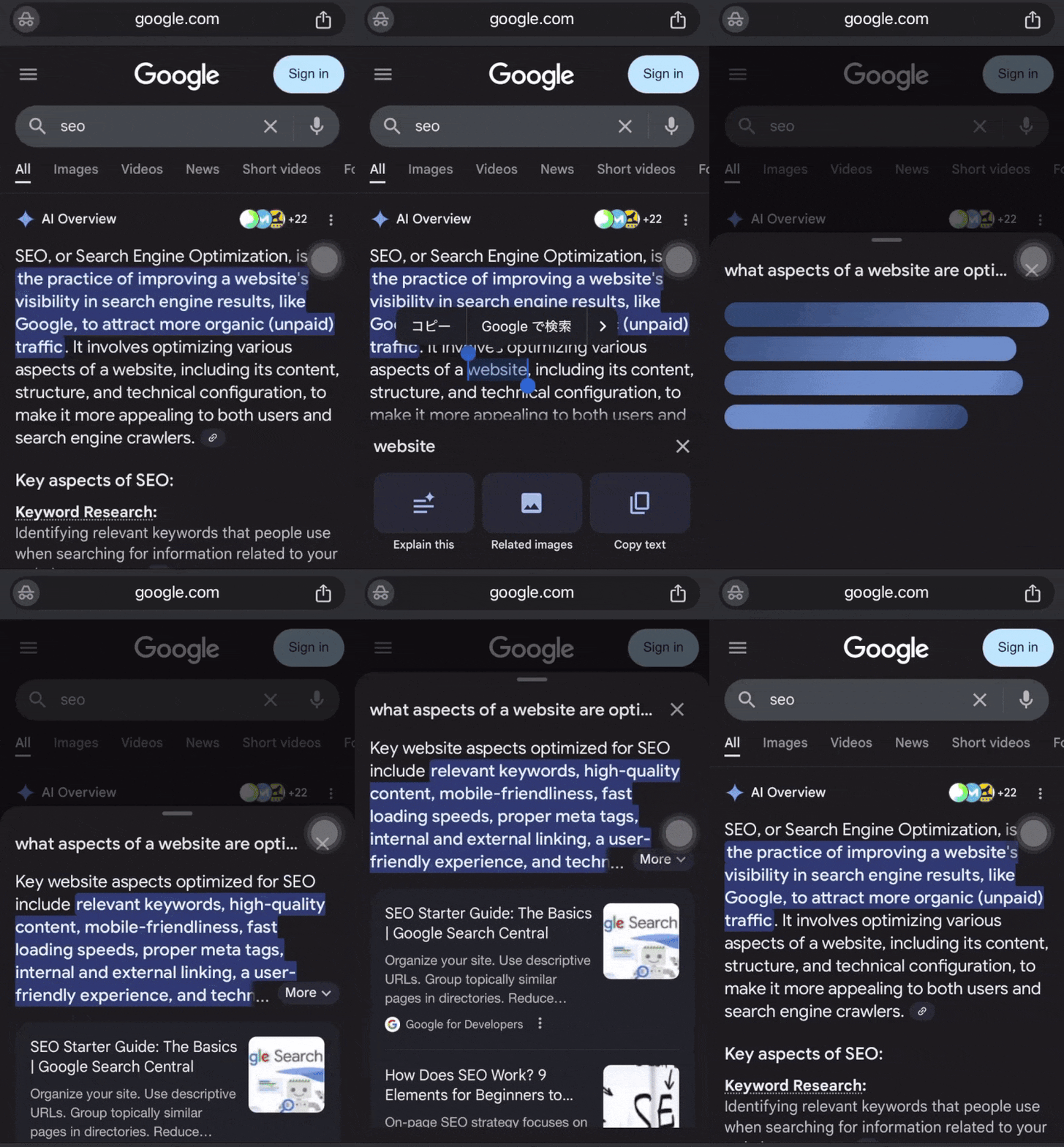
Send a video of the action when you click on “Explain this”
It appears that an AI Overview on the selections will be developed. pic.twitter.com/n8n3KPgnti
— 松下 聡太郎(Matsushita Sotaro) (@w55UMqzEVGqD7FP) August 19, 2025
This is actually from at least May:
Google’s AI Overview Explain mode and text copy feature are now live on mobile. @rustybrick @gaganghotra_ @brodieseo pic.twitter.com/U0jXAGOvtr
— Sachin Patel (@SachuPatel53124) May 22, 2025
Forum discussion at X.